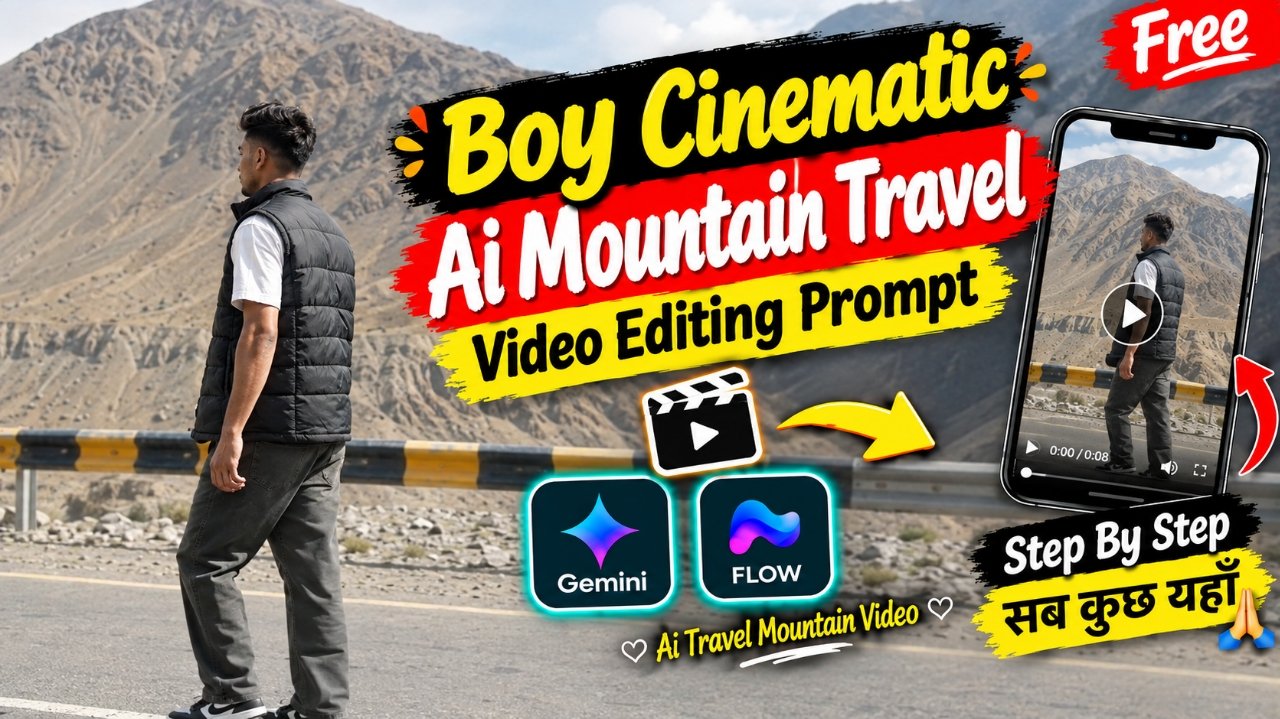
AI cinematic travel videos are a creative way to turn a simple photo into a beautiful and realistic mountain-travel reel. This video shows a young man enjoying a peaceful mountain location surrounded by huge rocky mountains, a flowing river, scenic roads, and a bridge. The natural poses, realistic environment, smooth camera movements, and cinematic travel atmosphere give the video a professional look. With the help of AI tools, you can create a similar mountain travel video using your own photo. You do not need a professional camera or an expensive travel setup. A clear photo, a suitable AI image-to-video tool, and a detailed prompt are enough to create an attractive cinematic travel video for Instagram Reels, YouTube Shorts, or other social media platforms.
Details Trending AI Mountain Travel Video Editing Prompt :-
Create a photorealistic cinematic travel video of a young man exploring a beautiful mountain valley surrounded by massive rocky mountains and a clear flowing river. Show him standing beside a scenic mountain road, peacefully looking at the mountains and enjoying the natural surroundings. In another scene, show him standing near the river and looking at the flowing water and surrounding landscape. Include a realistic mountain bridge scene where he stands and observes the breathtaking view. Use natural body movements, realistic walking and standing poses, smooth cinematic camera transitions, soft natural daylight, realistic shadows, detailed mountains, flowing river water, and authentic outdoor scenery. Add cinematic depth of field, natural colors, gentle wind movement in his clothes and hair, and professional DSLR-style camera quality. The final video should look like a real mountain travel vlog rather than an AI-generated video. Keep the person’s face, identity, skin tone, hairstyle, clothing, and body proportions natural and consistent in every scene.
What Do You Need to Make This Video?
To create this AI mountain travel video, you need a clear and high-quality photo of yourself, an AI image-to-video tool, and the cinematic prompt given above. First, upload your photo into the AI tool and add the prompt. Make sure the tool supports realistic image-to-video generation and smooth camera movements. You can create separate scenes such as standing beside the mountain road, exploring the river, standing near the bridge, and enjoying the mountain scenery. After generating the clips, combine them in a video editing app and add suitable cinematic background music or natural mountain sound effects. For Instagram Reels and YouTube Shorts, use a 9:16 vertical aspect ratio and the highest available video quality. For YouTube landscape videos, you can use a 16:9 aspect ratio. Smooth transitions, natural motion, and realistic environmental details will help make the final video look more like an authentic cinematic travel vlog.
Create an exact 10-second, 16:9 landscape, 30fps, normal real-time-speed, ultra-photorealistic cinematic live-action video using @IMAGE1 as the strict character identity reference. @IMAGE1 controls ONLY the exact identity of the main male character: preserve the same face shape, facial structure, proportions, eyes, eyebrows, nose, lips, jawline, cheeks, chin, skin tone, natural asymmetry, hairstyle and recognizable identity with zero face replacement, face morphing, beautification, age change, generic AI face or identity drift. @IMAGE1 must NOT alter the clothing, environment, camera, pose or actions specified below. Reproduce this complete four-shot sequence exactly in chronological order, using only the physical actions and camera behavior explicitly described here. SHOT 1 — 0.00–2.59 sec: Outdoor mountain-road scene in daylight. A young man walks naturally along a wide paved mountain road from screen-left toward screen-right, viewed from behind in a rear/three-quarter angle. He is positioned around the middle/lower-middle of the frame while the enormous barren, rocky brown mountain dominates the background. The road has a white lane marking in the foreground, a roadside metal guardrail painted in alternating black-and-yellow sections, gravel and barren terrain beyond it, and steep layered mountain slopes behind. He wears a black quilted sleeveless puffer vest over a white short-sleeve shirt, loose/baggy dark gray-green trousers/jeans and black-and-white low-top sneakers. His arms hang naturally and swing subtly with his walking rhythm; his legs alternate in ordinary walking steps, with natural weight transfer from one foot to the other. His torso remains upright and relaxed, facing generally toward screen-right as he walks. His head stays mostly oriented in the walking direction with no exaggerated gesture. The camera is a fixed, vertically framed long/medium-long composition from the roadside; it does NOT follow, pan, orbit or zoom with him. Preserve the actual static perspective and the subject gradually progressing across the road. Natural daylight, realistic mountain atmosphere and ordinary physical walking speed. Do not reproduce any visible text or emoji overlay from the source. SHOT 2 — 2.59–5.09 sec: Hard cut to a completely different static composition beside a pale turquoise-green river/lake. The same male character is seated on large irregular rocks at the bottom foreground of the frame, seen entirely from behind. He wears a loose white long-sleeve shirt with the sleeves naturally down/rolled only as visibly present, with dark trousers visible around the lower body where not blocked by the rocks. He sits facing the water, back toward the camera, shoulders relaxed and body upright. His head is directed toward the water and remains mostly still, with only subtle natural movement. No walking, standing or hand gesture occurs; his arms remain close to his body and mostly hidden by the seated position and foreground rocks. The river occupies most of the frame, with gentle natural surface ripples. Across the water is a green tree-covered shoreline with scattered trees, grassy banks, rocks and a small simple building/house with a reddish roof. The camera is completely static in a distant elevated-looking portrait composition, with the seated character small in the lower portion and the water/environment dominating the frame. Preserve natural water movement and wind/environmental motion only. No added camera movement. SHOT 3 — 5.09–7.73 sec: Hard cut to a static rear view of the same male standing on a weathered metal truss bridge above a fast-flowing pale river. He is centered in the frame, seen from directly behind, facing away from camera toward the large dark rocky mountain slope in the distance. He wears a dark charcoal/gray long-sleeve top or jacket with a clearly visible graphic/printed design on the upper back and loose dark trousers. The bridge contains prominent aged steel beams, riveted plates, diagonal structural members, horizontal rails and a grated walkway; turbulent white water is visible below the bridge. The character stands upright and relaxed near the center of the bridge with both arms down naturally at his sides. His legs remain planted; there is no walking. His head is initially oriented toward the mountain and remains generally facing away, with only subtle natural head/posture movement. The camera is completely static and positioned behind him at a distance, framing his full upper/lower body together with the bridge structure, rushing river and mountain. Preserve the actual monumental mountain scale and bridge geometry. Do not add a camera push-in, pan, tilt or tracking movement. SHOT 4 — 7.73–10.00 sec: Hard cut to a static medium-long side/rear view beside the same pale turquoise-green river. The man now wears a loose white long-sleeve button-up/collared shirt with the sleeves naturally rolled or gathered around the forearms as visibly shown, loose dark gray/green trousers and no added accessories. He stands near the rocky river edge, initially shown in left-facing side profile with his body oriented roughly toward screen-right. His arms hang naturally beside his body. During the shot, he slowly turns his head and gaze from the side toward the camera, ending with his face looking directly or nearly directly toward the camera while his body remains largely in the same position. The head turn is the primary visible physical action: gradual, natural neck rotation with corresponding eye movement; do not add a body turn, walking, hand gesture or other action. His expression remains neutral and calm. The pale turquoise river fills almost the entire background, with the opposite rocky/grassy shoreline visible near the top of frame and a partially submerged concrete/stone structure at the upper-left edge. The camera remains fixed and does not pan, zoom, track or orbit. Preserve the exact static framing, river texture, daylight and natural environmental movement. GLOBAL PHYSICAL AND VISUAL RULES: all four shots are separate hard cuts; never invent a camera movement connecting them. Maintain natural 1x real-time movement only. No slow motion, speed ramps, time remapping, freeze frames, artificial zooms, whip transitions, flash transitions, beat cuts, editing-based camera shake, artificial motion blur, added color grading, text, captions, emojis, logos, watermarks, extra people, extra vehicles, extra props, extra actions or invented scenery. Preserve realistic human anatomy, natural walking mechanics, realistic weight transfer, authentic hand/arm positioning, natural head rotation, hair movement, fabric behavior, water motion and environmental physics. The original visual text overlays are NOT part of the physical scene and must not be generated. FINAL TIMELINE: 0.00–2.59 sec Shot 1; 2.59–5.09 sec Shot 2; 5.09–7.73 sec Shot 3; 7.73–10.00 sec Shot 4. TOTAL = EXACTLY 10.00 SECONDS, NORMAL REAL-TIME 1x, ZERO INVENTION.
What Is The Google Flow Ai?
So friends, let me explain what Google Flow AI actually is. As you know, Google Flow AI is a Google-owned platform designed for creating cinematic videos with AI. You can create videos from text prompts, use images as visual references, and generate scenes based on the instructions you provide. It is useful for creating different types of cinematic videos, including devotional AI videos, retro videos, and other trending social media content. Google Flow AI can help you transform a still photo into a video when the relevant image-to-video features are available. You simply need to provide your photo and a suitable prompt, and the AI tool generates a video based on your instructions. The exact features, free credits, video duration, and aspect ratios available may depend on your account, region, and current Google Flow options. Some features may require credits or a paid plan, so check the available settings before generating your video. People are using AI video tools to create creative content for Instagram and other social media platforms. In this article, I have also explained how you can use a Parvati Ji-inspired prompt to create a beautiful devotional cinematic video. So, if you also want to try this trending AI video editing style, simply follow the steps given above, upload your photo, copy the prompt, and create your own devotional cinematic video using Google Flow AI.
Conclusion :-
So friends, whatever things were used to make this type of mountain travel video, I have given them to you in this post and have also told you the steps as to how it will be made, each step has been explained promptly. You just have to follow every step I have told you and read this article carefully and understand it. And if you make this type of video and upload it on social media, there is a good chance it will go viral. Due to which the reach of your account will increase, your followers will increase, you go ahead and you too can go viral by making such reels.
Turn this prompt into your own video
VM Editor is the AI studio behind these edits. Sign in with Google, choose a plan and start rendering the same viral template with your own photo.